
Press kit
Tusk
Assets and facts for journalists, bloggers, and creators covering Tusk. Everything below is cleared for editorial use with credit where practical. For review access or fact-checks, email press@tuskbackup.com.
As seen in
Factsheet
App
Tusk
One-liner
A Mac app for video creators and photographers that backs up project files across drives and cloud, and always shows where every file lives, even when drives aren't plugged in.
Platform
macOS 12 (Monterey)+ · Apple Silicon & Intel · signed & notarized DMG · not Mac App Store
Price
$49 for the first 100 licenses (live availability shown on the pricing page) · $79 afterward · one-time license · 14-day free trial (no card, no signup)
License
Lifetime key by email · up to 5 activations · one year of updates included
Destinations
External drives · S3-compatible · Google Drive · Dropbox
Developer
Niklas Fischer, solo indie · about
Press contact
Website
Copy-paste
Descriptions
Short
Tusk is a Mac app for video creators and photographers. It backs up your project files across drives and cloud, and always shows you where every file lives, even when drives aren't plugged in.
Medium
Your backup drive can be sitting in a drawer and Tusk still knows exactly what is on it. Built for photographers and video creators with footage spread across drives and cloud, Tusk automatically copies and verifies new project files. It can offload an SD card to several destinations at once without first filling the Mac, blocks unsafe local deletes, and restores from the best available copy in one click.
Long
Creative work rarely stays in one neat place. Footage spreads from SD cards to a Mac, external SSDs, archive drives, and cloud storage. Making another copy is only half the problem. Months later, you still need to know whether every file is safe and which drive actually holds it.
Tusk is a project-aware backup app for Mac that keeps that answer visible. It copies project files to multiple drives and cloud destinations, verifies every transfer with a BLAKE3 checksum, and remembers every location even while a drive is unplugged. On a shoot day, it can offload an SD card to several destinations at once without first filling the Mac. When local space runs low, Tusk checks the backup copies before allowing a local delete, then restores from the best available source when the files are needed again.
File location tracking across disconnected drives (BLAKE3)
Track an existing drive: catalog and back up folders already on a drive, no re-copy required
SD card offload with fan-out verification
Project-aware backup (folder = project)
Safe local delete with preflight checks
One-click restore from the best available source
Watch / download
Product demos
Current product demo
Please embed this video. Tusk's UI has changed, and older YouTube cuts still circulating no longer match the product.
https://www.youtube.com/watch?v=QqsUlHwr7Qk
Shorter downloadable MP4s are below if you need a file for a CMS or edit timeline.
Product demo (short)
47 seconds · Product Hunt launch cut — best for embeds, socials, and quick overviews.
Product demo (full)
~3.5 minutes · Homepage walkthrough — create a project, destinations, sync, safe delete, restore.
Story angles
Bring an existing drive in
Point Tusk at a drive you already have, select the folders, and it catalogs and verifies everything on it with a BLAKE3 checksum, no re-copying first. From there it behaves like any other Tusk backup: visible and trackable even unplugged. Same job disk catalogers like NeoFinder do, plus the drive is now actually backed up, not just indexed.
Disconnected-drive tracking
Every creator has unlabeled drives in a drawer and no idea what's on them. Tusk tracks files by content across destinations, including drives that are currently unplugged.
Shoot-day fan-out
Offload an SD card to multiple destinations at once. The card is read once. A local copy on the Mac is not required.
Safe delete
Before deleting local copies, Tusk verifies backups on connected destinations and blocks the delete if anything is missing or unverified.
Indie Mac utility
Built by one person. Local SQLite catalogue. No Tusk accounts. Your file contents never touch our servers.
Founder quotes
“I spent a few years recording programming courses and tutorials, and I'd just drag and drop the footage and screen recordings to my external drives. At some point I had no idea anymore which files were already backed up and where.”
“There are a bunch of great tools like NeoFinder or Carbon Copy Cloner, which are doing backup or file cataloguing well. But before Tusk, there wasn't one tool that handled both well.”
“I built Tusk for myself first as a command line tool in the terminal. When talking to other photographers and videographers, I realized that I'm not the only one struggling with this problem. I then decided to turn it from a terminal tool into a real desktop app, in close collaboration with some of my videographer and photographer friends.”
“The fear was never really about losing a drive, it was the offload anxiety: have I already backed this up, does it exist in at least two places before I delete it locally? I wanted to open one app and know exactly where a project actually lived, instead of plugging in drives one by one to check.”
What Tusk is not
Not a bootable clone tool (use CCC or SuperDuper alongside)
Not whole-Mac continuous cloud backup (complementary to Backblaze / Time Machine)
Can catalog and back up folders on a drive you already have, but not a general disk cataloger for a fully unstructured disk with no folder logic (that's still NeoFinder/DiskCatalogMaker territory)
Verifies transfer integrity, not historical versioning / snapshot history
macOS only · Apple Silicon & Intel
Founder

Niklas Fischer is a software engineer, programming educator, and the founder of Tusk. He built the app after years of shooting programming courses and YouTube projects onto whichever external drive had space, then losing track of which drive held which files. He is the founding engineer at cleverklagen, previously worked as a data scientist at DAZN and FC Barcelona, served as a lead instructor at coding bootcamps, and has published programming courses on Udemy and through Packt for O'Reilly.
Visual assets



Product screenshots
Download ZIP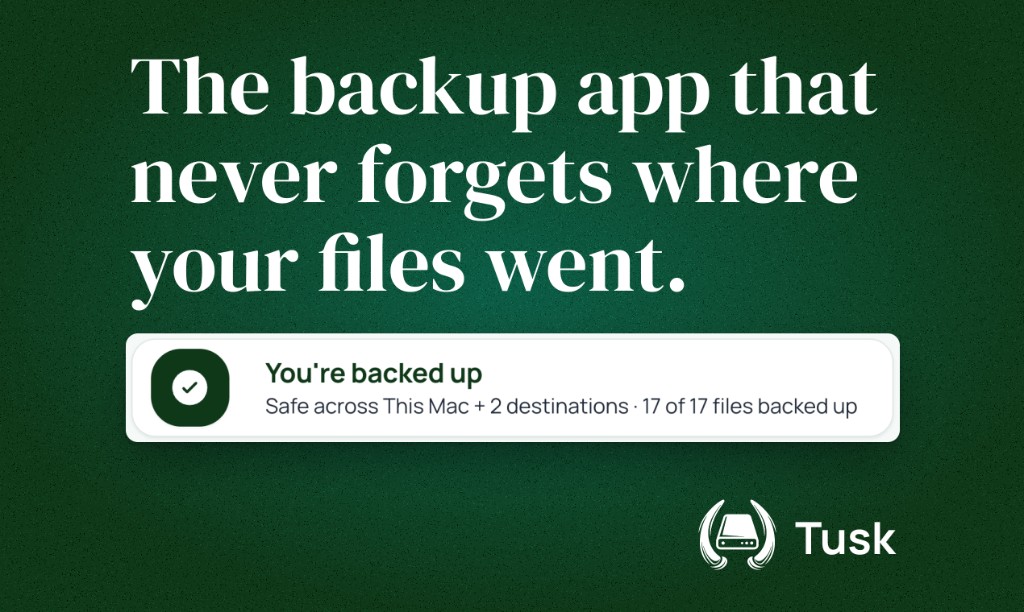
The backup app that never forgets where your files went
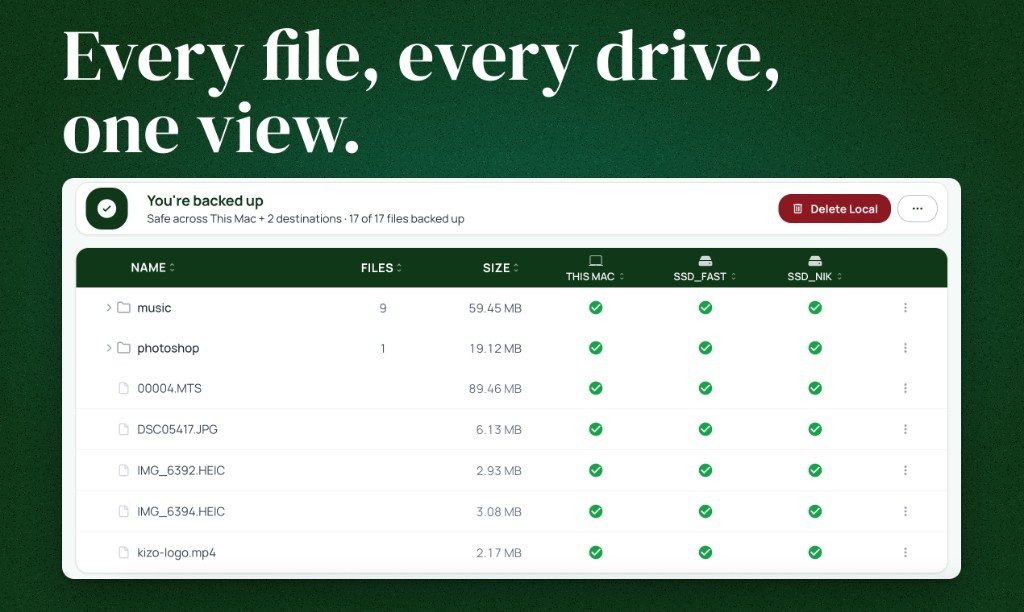
Per-file backup status across every destination
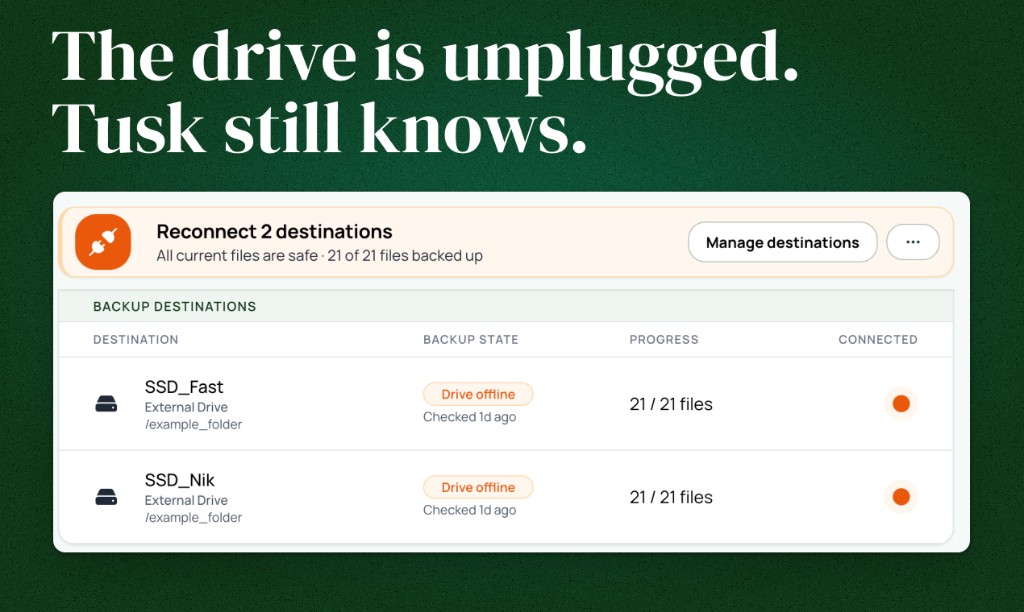
File tracking while backup drives are unplugged
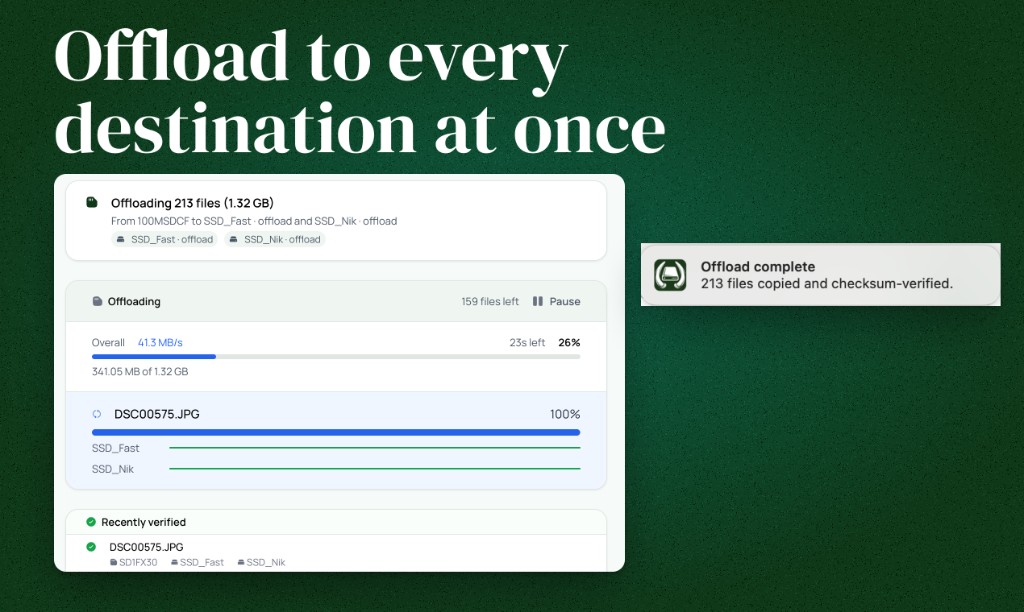
SD-card offload to multiple destinations
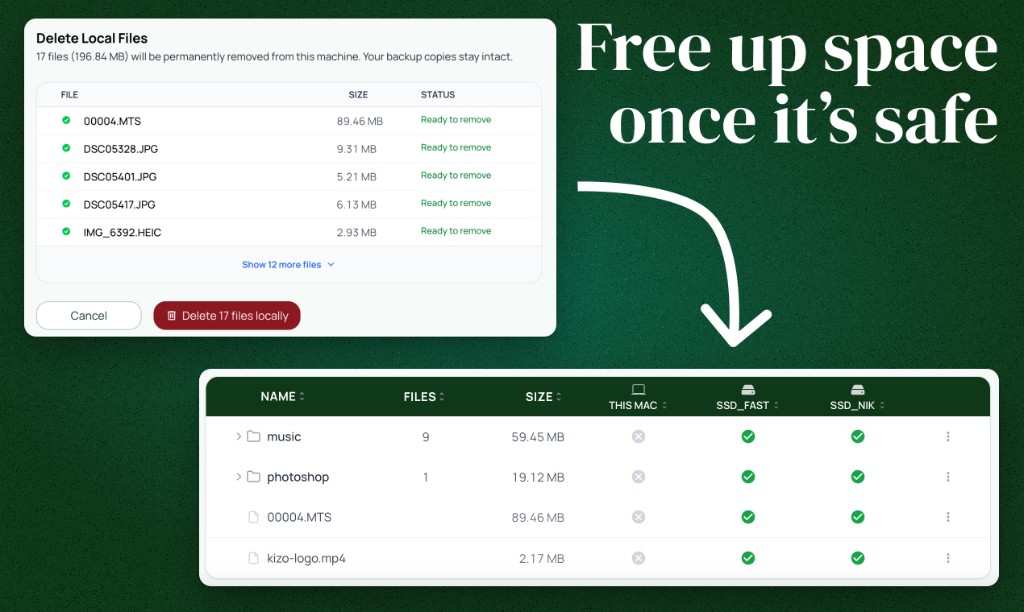
Verified backups before local files are removed
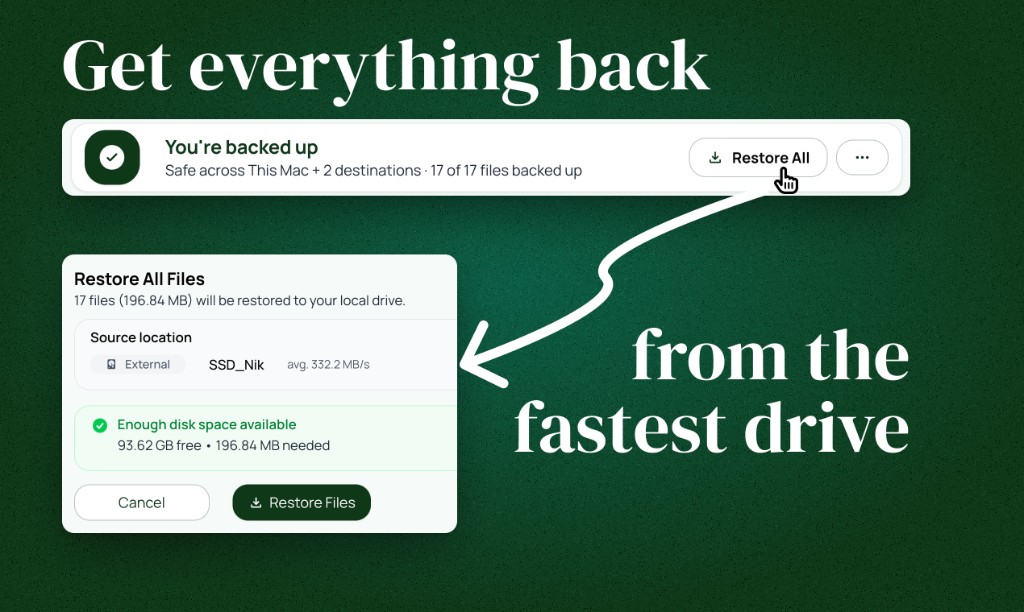
Restore from the fastest available source
Usage: editorial coverage and reviews of Tusk, with credit to Tusk / Niklas Fischer where practical. Do not alter the mark into a new trademark or imply endorsement. Other uses: ask first.
Review access
Request a free review license with no expectation of coverage or positive treatment. We can fact-check technical details. We do not ask for copy approval. The button opens a short email with the fields already filled in. Just complete the blanks.
Request a review license